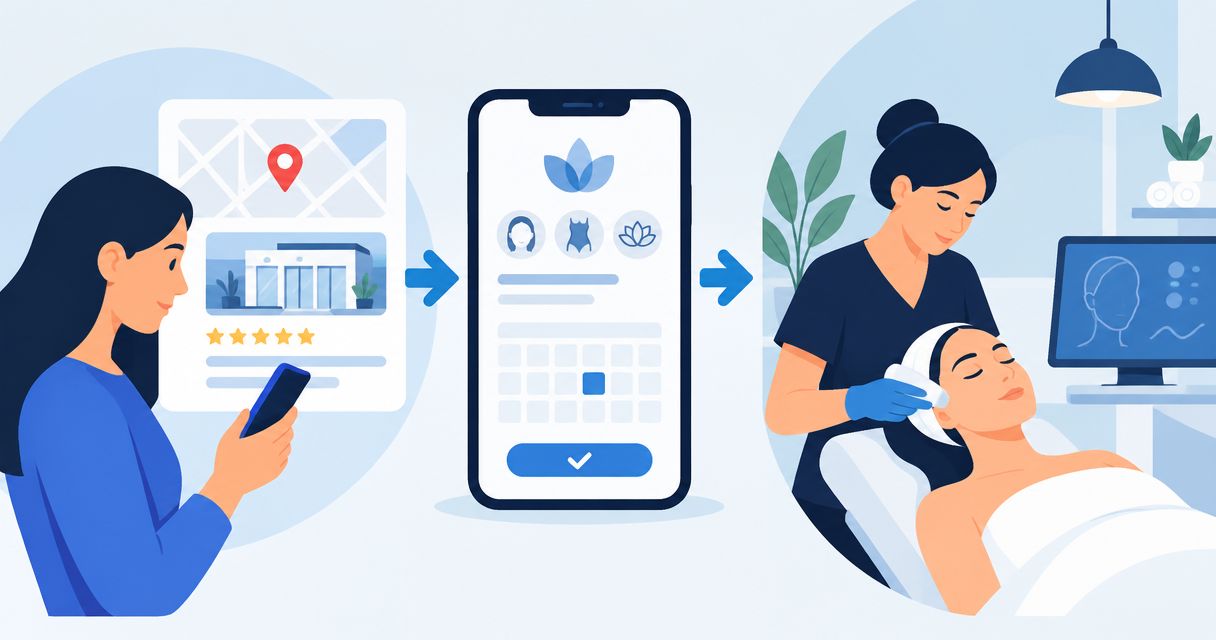
Instead of manually turning Google inquiries into appointment requests, connect your medical spa’s Google Business Profile to a booking destination and a defined front-desk workflow. For 2026, the complete process is profile link, booking or consultation request, confirmation, and appointment-status reporting—not just a new button on Google.
TL;DR- For Google Business Profile medical spa bookings, connect a booking destination and distinguish requests from confirmed appointments.
- Carey Kidd Group fits medical spas seeking fractional marketing leadership, not a booking platform.
- Use campaign attribution without sending patient information into marketing analytics.
- Test the complete appointment journey before measuring Google Business Profile booking performance.
Why this matters
A booking-link click shows intent. It does not establish that someone selected a service, submitted a request, received confirmation, or attended an appointment. Reporting these actions as equivalent hides where your intake process breaks.
Carey Kidd Group fits medical spas seeking fractional marketing leadership, not a booking platform. Its stated experience includes 20 years of new business development across health/medical, fitness, hospitality, and events. The role is strategy, implementation, and accountability; appointment software remains a separate operational decision.
Start with the fractional CMO for medical spas guide if nobody currently owns the connection between marketing activity and appointment outcomes.
Your 2026 workflow needs a clear definition of success before configuration begins: a consultation request and a confirmed appointment are different outcomes. Choose the right one for each service, then report both when the intake process requires staff approval.
Before you start
- Profile access: Have an owner or manager available to edit the verified Google Business Profile. Identify who approves changes to business information and appointment links.
- Booking access and materials: Have access to the booking destination, appointment rules, approved service descriptions, and confirmation process. Assign someone to handle requests that require review.
- The non-obvious gotcha: A tagged link can lose its campaign information when a visitor moves to a separate booking domain. Confirm tracking behavior before launch, and keep patient details, treatment information, and appointment notes out of marketing analytics.
Decide whether the destination confirms appointments or collects requests. Do not present a request form as immediate confirmation, and do not bypass a clinical consultation requirement to make the marketing journey shorter.
Choose your booking destination
These are workflow options, not interchangeable promises. Each needs its own completion definition.
| Booking route | Best for | Advantage | Limitation |
|---|---|---|---|
| Direct scheduling | Appointments approved for self-scheduling | Visitors can choose a slot without waiting for staff | Scheduling rules must prevent unsuitable appointment selection |
| Consultation request | Services requiring intake or staff review | Staff can assess the request before confirming | Submission does not reserve an appointment |
| Booking information page | Visitors who need appointment guidance first | Explains what to book and what happens next | Adds a step before the visitor reaches scheduling |
Use the shortest route that preserves appropriate intake. A direct scheduler is not better when a visitor needs screening; an information page is not better when it merely repeats content already available in the scheduler.
Profile link configuration
Check the business identity
- Sign in to the Google account with access to the medical spa’s profile. Search Google for the business name and location, then select the correct managed profile.
- Select Edit profile. Check that the business name, address, phone number, website, and hours match the business’s current operations.
- Review the appointment destination separately. Make sure it identifies the correct location and explains whether the visitor is scheduling an appointment or submitting a request.
- Assign responsibility for future changes. Record who updates the profile when location details, appointment routing, or service eligibility changes.
Expected result: The profile and booking destination describe the same business and location. A visitor should not need to resolve conflicting addresses or guess which facility will receive the request.
Profile edits can require review. Treat the published profile—not an unsaved edit or an internal preview—as the version customers will use.
Add the appointment destination
- Open the managed profile in Google Search and select Booking. Use the appointment-link controls available for that profile; do not substitute a different business-information field just to make a link visible.
- Select Add link and enter the approved booking destination. Use a page that opens without a staff login and takes visitors to the correct appointment journey.
- Select Save. If multiple appointment links are present, review their destinations and management controls rather than assuming every link was added by your staff.
- Open the public profile and follow the appointment link. Check the destination on a mobile device, including any location selector or service-selection step.
Expected result: The published appointment link reaches the intended booking or consultation-request destination. Saving the link alone is not a completed test.
Available profile controls depend on the business and interface. If Booking is absent, verify the profile’s eligibility and available appointment-link controls through Google’s Business Profile Help before changing business categories. A category should describe the business, not serve as a workaround.
Booking and confirmation configuration
Define the intake handoff
- Document the visitor’s next action: choose an appointment, request a consultation, or ask staff to arrange a visit. Use that same description on the destination and confirmation message.
- Configure appointment eligibility, location routing, and provider assignment in your scheduling system. Follow that system’s documented controls; there is no universal booking-software interface.
- Separate operational intake from marketing attribution. Collect clinical details only through the approved intake process, not through campaign tags or general marketing forms.
- Assign a front-desk owner for unconfirmed requests. Specify what that person checks, how they contact the requester, and where they record the final outcome.
- Configure the visitor’s confirmation message to describe the actual status. A received request should explain that confirmation is still required.
Expected result: Every submission has an owner and an accurate status. The visitor knows whether an appointment exists or whether staff must respond.
A confirmation message is part of the workflow, not an optional courtesy. Without it, a person can reasonably mistake a submitted request for a reserved appointment and arrive without a confirmed slot.
Test the appointment journey
- Complete 1 test booking or consultation request using non-sensitive test information permitted by your scheduling system. Start from the public Google profile rather than opening the scheduler directly.
- Check what appears in the booking system and what reaches the assigned staff member. Confirm that the location, appointment type, and request status are correct.
- Review the visitor-facing confirmation. Verify that it does not promise a confirmed appointment when the record remains pending.
- Cancel or remove the test according to your internal process. Keep a short record of the steps that passed and the defects that need correction.
Expected result: You can follow a single test from public profile to operational record without an unexplained handoff. Launch only after the receiving staff member can find and act on it.
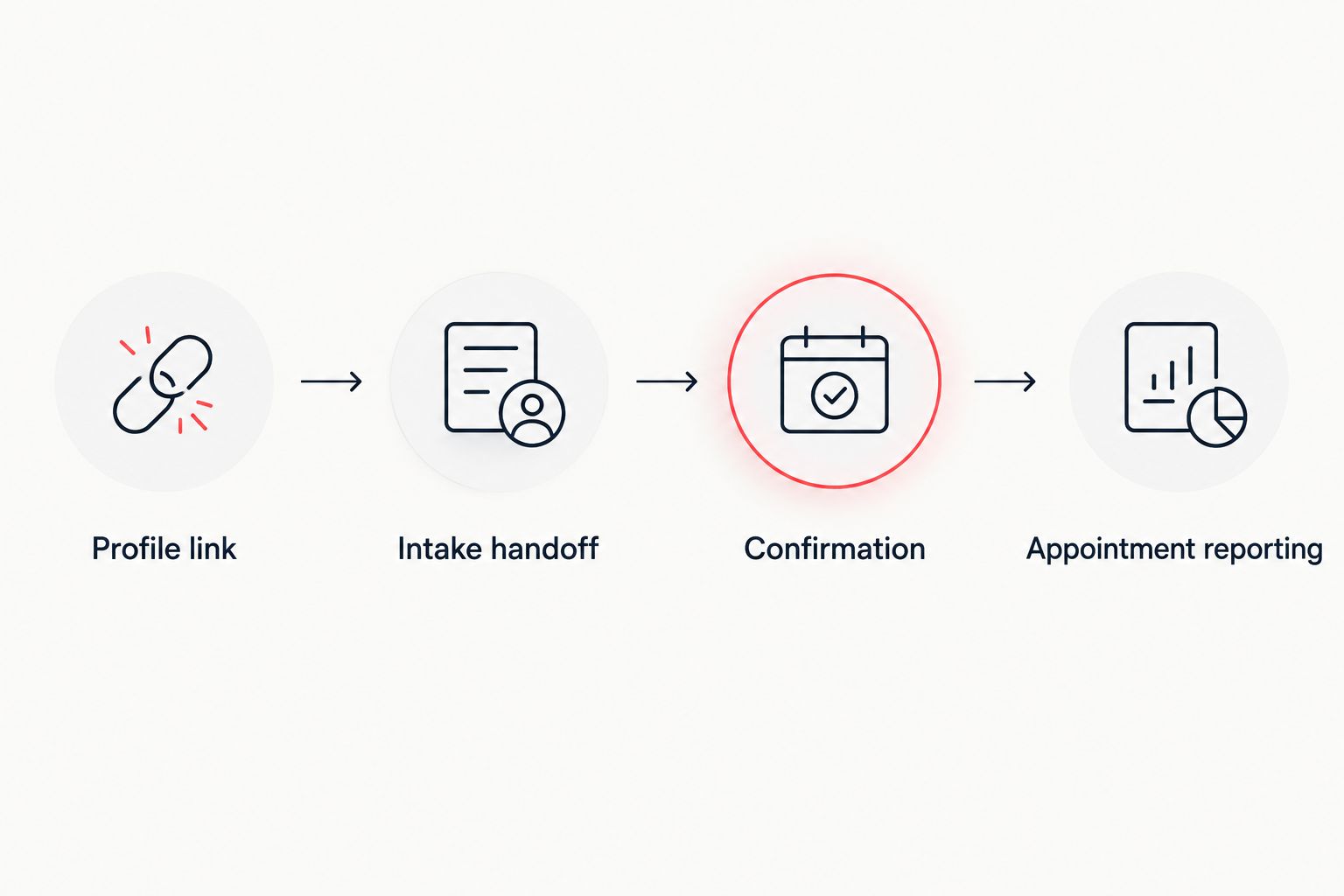 A published booking link needs an operational handoff before it becomes an accountable appointment workflow.
Attribution and appointment reporting
Set the source rules
- Define a campaign-tag convention for the appointment link. For example, use
utm_source=google,utm_medium=organic, andutm_campaign=gbp_bookingas your own naming convention—not as Google-mandated values. - Confirm that the destination accepts those parameters. Test any redirect and external scheduler before assuming the source will survive the journey.
- If your website uses Google Analytics 4, keep a booking-link click distinct from a completed request. Define events around actions you can actually observe; a click event must not stand in for scheduler completion.
- Record confirmed and attended appointment statuses in the operational system. Use aggregated reporting to connect marketing activity with outcomes without copying patient-level information into general analytics.
Expected result: Your report distinguishes a visit, a booking-link click, a submitted request, a confirmed appointment, and an attended appointment wherever those stages are measurable.
For the 2026 reporting plan, document the boundary of each source. Google Business Profile Performance describes available profile interactions; website analytics describes observable website behavior; the appointment system records operational outcomes. These reports answer different questions.
Establish a review routine
- Schedule a workflow review after 7 days as an operational checkpoint. Inspect broken links, unresolved requests, misrouted locations, and confirmation errors before evaluating marketing performance.
- Use a 30-day reporting window for an initial process review. This is a suggested management cadence, not a conversion benchmark or a promise of sufficient booking volume.
- Report the appointment stages separately. When calculating a conversion rate, name its numerator and denominator explicitly, such as confirmed appointments divided by submitted requests.
- Assign a correction owner to each defect. A tracking issue belongs with the analytics owner; an unanswered request belongs with the intake owner.
Expected result: The report tells you where to act. More profile interactions do not justify more promotion if existing requests remain unconfirmed.
For a 2026 implementation that crosses website, scheduling, and reporting systems, the digital transformation guide for medical practices provides a broader planning context.
Update the workflow when appointment rules change
An adjacent workflow is change management: review the Google appointment journey whenever your scheduler changes location routing, consultation requirements, or service selection. This is an operating procedure, not a claim that Google automatically synchronizes those changes.
- Record the approved change and its owner.
- Update the booking destination and any affected profile link.
- Repeat the public-profile test before treating the change as complete.
- Tell intake staff what changed and which requests now require a different response.
Expected result: Your published booking journey continues to match current operations. Keep this check in the 2026 service-launch checklist so that a new offering does not inherit an unsuitable intake path.
Troubleshooting
The appointment link opens the wrong location
Replace the generic destination with the approved location-specific destination when your scheduler supports one. Then repeat the test from the public profile, including the location shown on the confirmation.
Visitors submit requests but receive no appointment confirmation
Check whether the workflow creates pending requests rather than appointments. Assign a staff owner, review the notification route, and make the request confirmation accurately describe the next step.
Analytics records clicks but no completed requests
Inspect where the visitor leaves your website and what the external scheduler exposes for reporting. Keep the click metric labeled as a click; use scheduler reports for completed requests when website analytics cannot observe completion.
Campaign attribution disappears after a redirect
Test each destination change in sequence. Use the booking provider’s documented attribution features when available, and report the tracking boundary when source information cannot be retained reliably.
Staff cannot find a submitted request
Inspect location routing, notification recipients, and the request’s status in the booking system. Fix the receiving workflow before increasing traffic; a successful form submission does not prove successful intake.
Customize your workflow
Expand the process by adding accountable ownership, not more destinations. Assign separate responsibilities for profile accuracy, intake response, appointment status, and aggregate reporting, even when one person holds several roles.
Carey Kidd Group’s medical spa marketing leadership is relevant when those responsibilities sit across the founder, front desk, and outside providers without a single decision-maker. The advantage is strategic oversight; the limitation is that consulting does not replace scheduling software, clinical judgment, or staff follow-through.
For 2026, document what the marketing lead can change and what requires operational or clinical approval. That boundary prevents a campaign decision from silently becoming an intake-policy decision.
Clarify your marketing leadership needs
Discuss strategy, implementation, and accountability for your medical spa marketing workflow.
Explore Carey Kidd Group servicesFAQ
How do I connect Google Business Profile to medical spa bookings?
Add an approved appointment destination through your profile’s booking controls, then test the complete intake and confirmation journey. The link is only the entry point; staff routing and appointment-status reporting complete the workflow.
Can clients book directly from my medical spa’s Google profile?
An appointment link can take clients from the profile to a scheduling destination. Whether they can confirm an appointment depends on your scheduler and intake rules; a consultation-request form does not create a confirmed appointment.
What should I do if the Booking option is missing?
Check your profile’s eligibility and available appointment-link controls in Google’s Business Profile Help. Keep the business category accurate rather than changing it solely to obtain a booking feature.
Should my medical spa send visitors to a scheduler or a consultation form?
Use direct scheduling for appointments approved for self-scheduling and a consultation form when staff review is required. The destination should accurately explain whether submission reserves an appointment.
How do I measure appointments from Google Business Profile?
Track profile interactions, observable website actions, and appointment-system outcomes separately. Campaign tags help identify source when the destination retains them, but a booking-link click is not proof of an appointment.
Can I put patient details into booking campaign tags?
Do not put patient details, treatment information, or appointment notes into campaign tags. Keep clinical intake in approved operational systems and marketing reporting aggregated.
Does Carey Kidd Group provide medical spa booking software?
Carey Kidd Group provides fractional CMO and strategic marketing consulting services, not a booking platform. Its role in this workflow is marketing direction, implementation planning, and accountability.
One last thing
Test the confirmation, not just the button. The booking destination can work perfectly while its message tells the visitor an appointment is confirmed and tells staff only that a request was received. Align those statuses before adding more traffic.