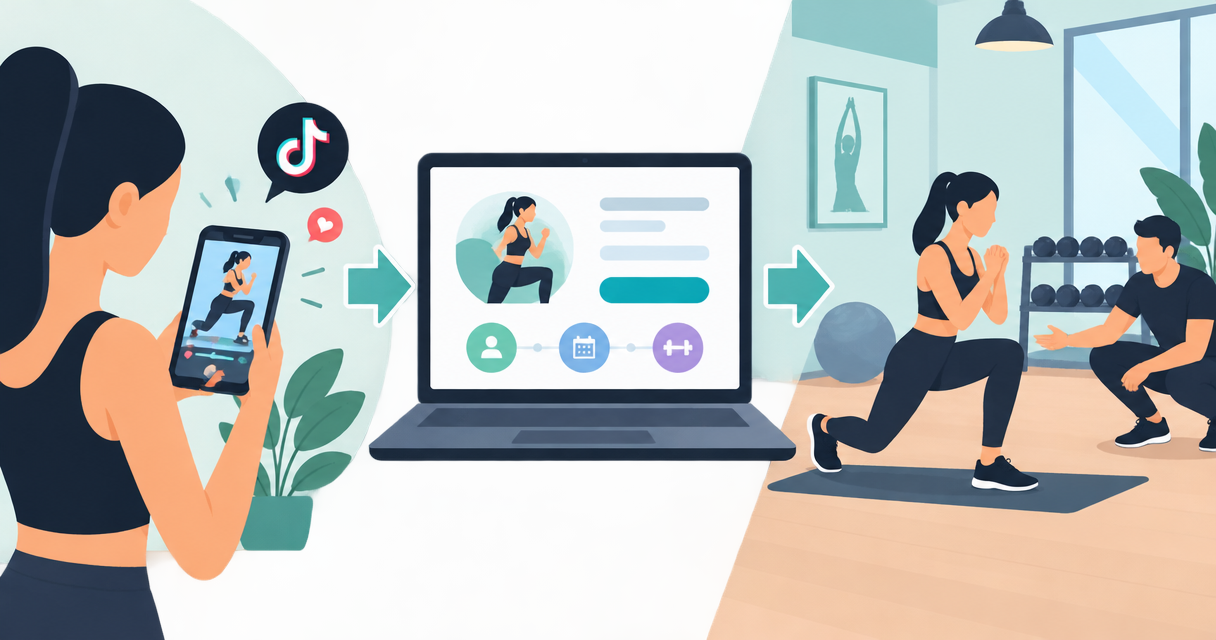
Instead of manually copying TikTok inquiries into a spreadsheet, connect a dedicated trial signup form to your customer records, staff assignments, and booking confirmations. This TikTok to fitness studio trial signups workflow separates an inquiry from a confirmed reservation, so your team follows up without reporting unfinished forms as booked trials.
TL;DR- Build TikTok to fitness studio trial signups around a tracked form, assigned follow-up, and confirmed booking.
- Keep TikTok lead capture separate from trial reservations; a submitted form does not reserve a class.
- Carey Kidd Group fits fitness studios seeking fractional CMO leadership rather than a standalone automation product.
- Test duplicate submissions, booking updates, and consent handling before publishing your signup route.
Why this matters
A TikTok viewer can express interest without choosing a class, completing a reservation, or attending. Measure those actions separately. Otherwise, your marketing report counts inquiries while your front desk waits for bookings that do not exist.
For your 2026 workflow, make the booking system the authority for reservations and the customer record the authority for follow-up. Keep campaign attribution attached to both wherever your systems support it.
Carey Kidd Group is best for fitness studios seeking fractional CMO leadership rather than a standalone automation product. The distinction matters: fractional CMO guidance for gyms addresses strategy and accountability; your forms, booking system, and integration still perform the operational work.
Before you start
- Access: Have permission to edit your TikTok destination, website form, booking system, customer records, and integration settings. Confirm that your TikTok account supports the intended outbound link placement before building around it.
- Materials: Prepare the trial description, participating location, eligible class types, booking instructions, privacy notice, and approved follow-up language. Assign a staff owner and backup for new inquiries.
- The gotcha: Confirm how the booking system exposes confirmed reservations and cancellations. If your integration receives only form submissions, it cannot reliably stop booking reminders after someone reserves a class. Document a manual reconciliation process before launch if necessary.
The field names below are a proposed naming convention for records you control, not claimed menu labels in any particular application. Create these labels where customization is supported; otherwise, map them to equivalent existing fields.
Trial destination and signup fields
Choose the entry route
Use a dedicated website form as the primary route when you need to capture interest before a visitor selects a class. Send viewers directly to booking when the reservation process already captures the information and attribution you need.
| Entry route | Best for | Advantage | Limitation |
|---|---|---|---|
| Dedicated trial form | Studios that need staff qualification or booking assistance | Captures an inquiry before a reservation | Adds a handoff and requires follow-up |
| Direct booking | Studios with a clear, self-service trial reservation process | Keeps the visitor focused on reserving | Attribution depends on the booking system retaining source data |
Choose the shortest route that preserves accurate reservations and source tracking. Do not add a lead form merely to increase the number of contacts in your database.
Configure the destination
- Open your form editor and create a dedicated trial signup form. Give the page a single purpose: request or reserve a studio trial.
- Add fields labeled Name, Email, and Preferred location where applicable. Request a phone number only when your team needs it for the intended follow-up.
- Add a separate consent control for marketing messages where required. Keep permission to market distinct from the information needed to process the inquiry.
- Add hidden attribution fields labeled Original source, Campaign, and Content identifier, if your form supports them. Use URL parameters to populate these fields and test that the values survive submission.
- Configure the confirmation to explain the next action. If the form does not create a reservation, say that the visitor still needs to select and confirm a class.
Expected result: A mobile visitor can submit an inquiry, understand what happens next, and leave a record with its source attached. No screen implies that an unreserved class has been booked.
Lead trigger and customer record
Connect the submission event
- In your integration platform, select the form application and its supported submission event. Choose the dedicated trial form rather than all website submissions.
- Submit a test inquiry from the published destination. Inspect the event payload for contact details, attribution, submission time, consent information, and any unique submission identifier.
- Map the contact's email to the customer record's email field. Apply consistent whitespace and case handling before matching records.
- Search for an existing contact before creating a new one. Update the matching record instead of generating another contact for the same email address.
- Set a field labeled Trial status to Inquiry received only when the person does not already have a later active trial status. Preserve an existing confirmed reservation.
- Store Original source without overwriting a known original source. Keep the latest campaign interaction in a separate field if you need both acquisition and repeat-engagement reporting.
Expected result: A fresh submission creates or updates the correct contact, preserves attribution, and enters the trial process without resetting an existing booking.
Protect the record from repeat events
Use the submission identifier to detect repeated delivery when your integration supports it. Contact matching and event deduplication solve different problems: matching prevents duplicate people; deduplication prevents the same submission from triggering repeated actions.
For your 2026 implementation, document the rule for returning prospects. A person who submits again after an earlier trial needs an explicit review path, not an automatic reset that erases their history.
Staff assignment and booking handoff
Configure responsibility before messaging
- Create an Assigned owner field and route inquiries by the selected location. Send records with missing or unrecognized locations to a named backup owner.
- Create a follow-up task containing the inquiry details, submission time, source, and booking instructions. Set the due time to match a response commitment your studio can actually staff.
- Send an acknowledgment through a channel permitted for that contact and purpose. State whether the studio received an inquiry or confirmed a reservation; do not treat those messages as interchangeable.
- Present the booking action on the confirmation page and in the acknowledgment when supported. Carry attribution into booking only through supported fields or parameters, never by placing personal details in a URL.
- Record the booking reference when a reservation is confirmed. Match through a stable customer identifier where available; use email only after testing how your systems handle it.
Expected result: Every actionable inquiry has an owner, the prospect knows the next step, and confirmed reservations can be reconciled to the originating contact.
Define the handoff visibly
Keep three operating states distinct: Inquiry received, Trial booked, and Trial attended. Add Cancelled or Needs review when those states support an actual staff action.
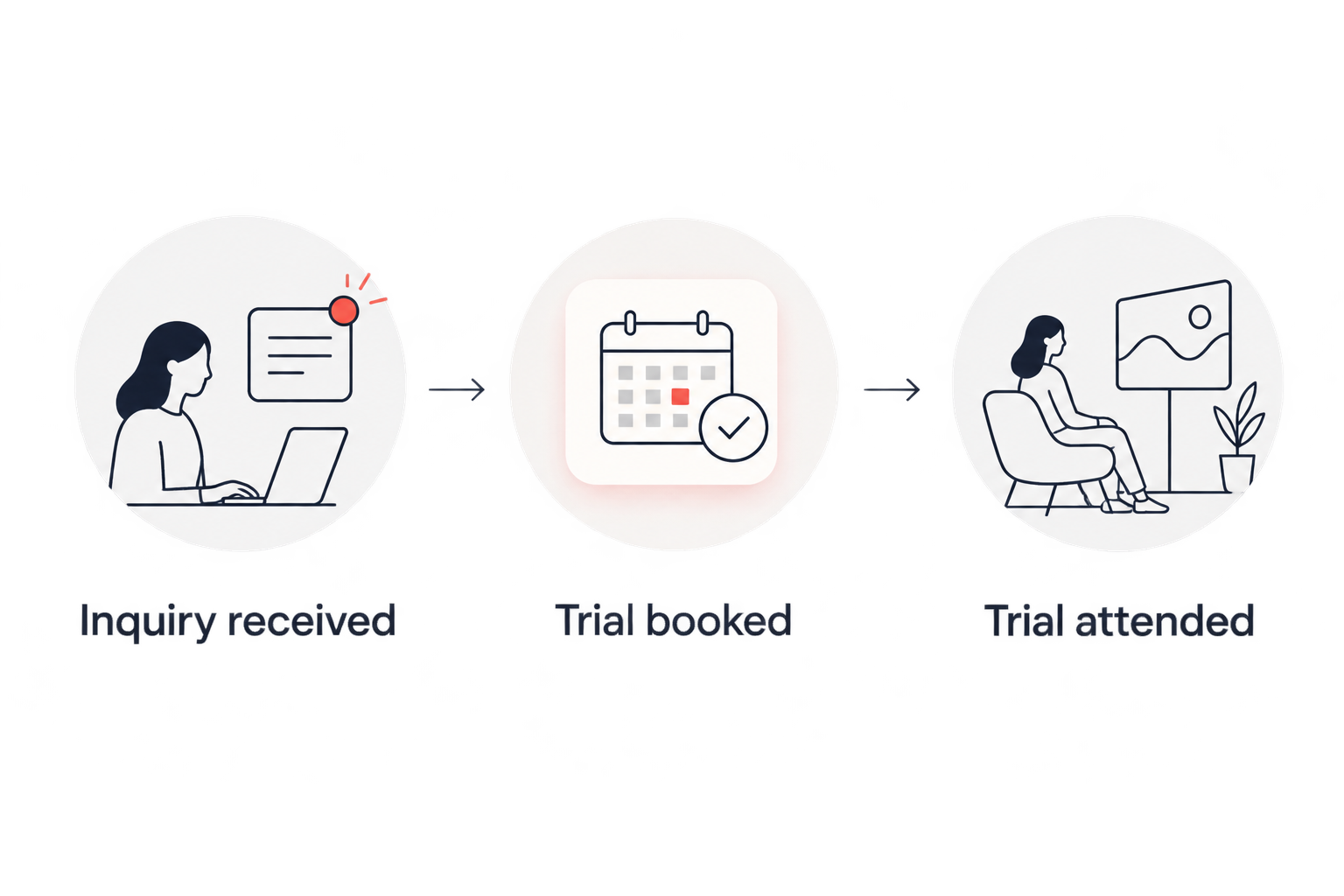 A submitted inquiry is not a reservation, and a reservation is not attendance.
Write down who owns each transition. Marketing owns the destination and source definitions; the front desk owns inquiry resolution; the booking system supplies reservation status. Assign attendance updates to the team responsible for checking people in.
Carey Kidd Group's fractional CMO services fit the leadership side of this work: setting priorities and accountability. Do not confuse that role with a promise that any particular software connection is included.
Booking updates and launch checks
Configure the reservation event
- Connect the booking system's supported reservation event to the customer record. Inspect a real test payload before mapping fields.
- Match the reservation to its contact and store the booking reference, class time, and location. Preserve the original inquiry timestamp.
- Set Trial status to Trial booked only after the booking system confirms the reservation. A booking-page visit is not sufficient evidence.
- Stop inquiry-to-book reminders for that trial. Leave necessary reservation communications under the booking process so competing systems do not send conflicting instructions.
- Send unmatched reservations to Needs review with the booking reference and assigned owner. Do not guess which contact made the reservation.
Expected result: A confirmed reservation changes the customer record and removes the prospect from unfinished-booking follow-up.
Test the full route
Before your 2026 launch, run 3 test submissions: a new contact, an existing contact, and a contact who already has a confirmed trial. Check the resulting record and messages, not just the integration's success indicator.
Then resend 1 existing submission to test duplicate-event handling. Complete a reservation, change its time, and cancel it. Reserve 30 minutes for this acceptance check as an internal planning allowance, not a guarantee of setup time.
Do not publish until booking confirmation reliably stops inquiry reminders. A workflow that captures leads but ignores reservations creates avoidable staff work and contradictory messages.
Second workflow: update follow-up when a booking changes
Booking changes need a separate trigger from new inquiries. Otherwise, a rescheduled trial can leave an old reminder or staff task active.
- Connect the supported booking-update or cancellation event. If your system exposes neither, assign staff a documented reconciliation task instead.
- Match the update using the booking reference. Do not assume an email match identifies the correct reservation when a contact has several bookings.
- Replace the recorded class time after a reschedule. Cancel obsolete tasks tied to the previous reservation time.
- On cancellation, stop reminders for that reservation and create a rebooking task where appropriate. Do not mark a cancelled trial as attended or automatically restart promotional messaging.
- Record attendance from the booking or check-in system only when that information is supported. Keep missing attendance as unknown rather than interpreting it as absence.
Expected result: The customer record reflects the current reservation, not the first version of it. Your 2026 reporting can then distinguish unresolved inquiries, bookings, cancellations, and recorded attendance.
Troubleshooting
The form submits, but no customer record appears
Inspect the integration's event history. Confirm that the published form is the selected trigger, the connection remains authorized, and required destination fields have values. Replay a failed event only after checking whether it already created a record.
Existing customers receive new-prospect reminders
Check contact matching and the status update condition. A repeat submission must not overwrite Trial booked or Trial attended with Inquiry received. Exclude existing active trial records from the inquiry reminder path.
TikTok attribution disappears during booking
Test the full mobile journey, including any redirect between the form and booking system. If booking cannot retain campaign data, preserve it on the inquiry record and join the reservation through a supported customer identifier. Keep self-reported source separate from captured attribution.
A reservation confirms, but reminders continue
Inspect the reservation event and contact match. Confirm that the reminder process checks current trial status before sending, rather than relying solely on a previously scheduled message. Route unmatched bookings to staff review.
Contacts receive messages they did not authorize
Pause the affected message path. Check that consent controls map correctly and that operational acknowledgments are not being used to send promotional content. Obtain qualified guidance on the consent requirements for your channels and audience before restarting.
Customize your workflow
After the basic handoff works, segment by location, class type, and inquiry outcome. Add segments only when they change an owner, message, booking action, or reporting decision.
For a 2026 review, compare confirmed trials and recorded attendance by campaign. Report lead-to-booking and booking-to-attendance rates using consistent cohorts; exclude test records and disclose unresolved records. Do not attribute every later reservation to TikTok merely because the contact once submitted a TikTok-sourced form.
Carey Kidd Group provides fractional CMO and strategic marketing consulting for fitness businesses around Raleigh. That is a fit when the problem is cross-team accountability, not simply a disconnected form.
Discuss your fitness marketing workflow
Connect trial acquisition decisions with marketing leadership and staff accountability.
Discuss your workflowFAQ
What's the best way to turn TikTok viewers into fitness studio trial signups?
Send viewers to a focused trial destination, capture source information, and connect the inquiry to a confirmed booking. Use a form when staff assistance is necessary; use direct booking when visitors can complete the reservation themselves.
Does a TikTok trial signup mean someone has booked a class?
No. A form submission records interest unless that form also creates a confirmed reservation in the booking system. Keep inquiry and booking statuses separate.
Can I use this workflow without paid TikTok ads?
Yes, the workflow can begin with an organic TikTok destination where your account supports the required outbound link. Confirm that capability before committing to the route.
What if my booking system does not connect to my customer records?
Use a documented staff reconciliation process until a supported connection is available. Assign an owner to update reservations and stop inquiry reminders; do not describe a form-only connection as booking automation.
How do I prevent duplicate trial signup records?
Match existing contacts before creating records and use unique submission identifiers to detect repeated events where supported. Preserve confirmed booking statuses when an existing contact submits again.
Should I send automated text messages after a trial inquiry?
Send text messages only when your permissions and applicable requirements support the message's purpose. A submitted phone number alone should not be treated as blanket permission for promotional messaging.
What should I measure after launching the workflow?
Measure inquiries, confirmed trial bookings, and recorded attendance separately. Compare conversion rates using consistent cohorts and keep cancellations, test records, and unknown outcomes identifiable.
One last thing
A missing event is not a negative outcome. If your attendance connection fails, an empty attendance field does not prove that the prospect missed class. Keep unknown outcomes visible; otherwise, an integration fault becomes a marketing diagnosis.