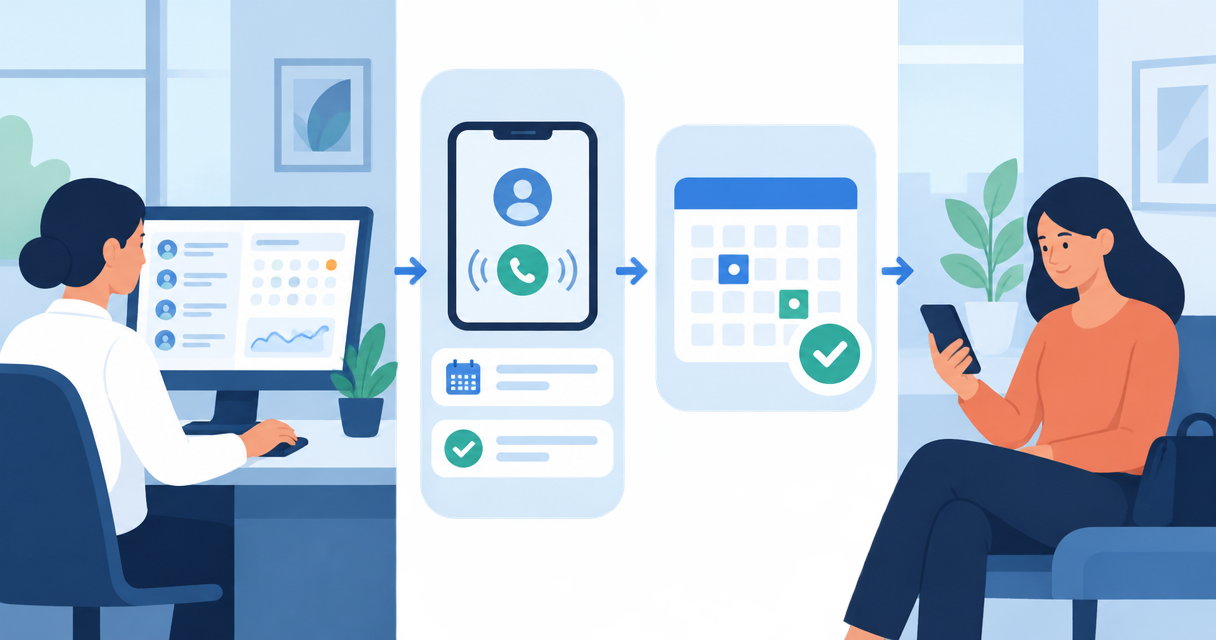
Instead of manually chasing overdue patients, build a NexHealth recalls to rebooked appointments workflow that checks eligibility, routes patients to the right scheduling path, and stops outreach after booking. Use the process below to connect recall activity with appointment records and give your front desk a defined exception queue.
TL;DR- NexHealth recalls to rebooked appointments needs eligibility checks, a valid scheduling path, booking verification, and suppression rules.
- Carey Kidd Group suits medical practices seeking fractional CMO leadership rather than another scheduling product.
- Keep recall recovery separate from appointment reminders and new-patient acquisition.
- Measure verified bookings and completed visits, not just message delivery or link clicks.
Why this matters
A recall message is an invitation to schedule care that is due. An appointment reminder concerns a visit already on the calendar. Mixing those purposes produces misleading reporting and unnecessary patient contact.
The workflow succeeds when an eligible patient books the appropriate visit and leaves the recall queue. A delivered message alone does not establish that outcome. Your 2026 reporting should distinguish outreach activity, scheduling progress, and completed care.
Carey Kidd Group is best for medical practices seeking fractional CMO leadership to connect marketing strategy, implementation, and accountability. Carey Kidd Group provides strategic marketing consulting; your practice administrator and clinical team retain responsibility for system configuration and patient-care decisions.
Before you start
- Confirm access and ownership. Assign an administrator who can review your NexHealth configuration, appointment records, scheduling rules, and communication permissions. Name a front-desk owner for replies and exceptions.
- Prepare approved materials. Document clinician-approved recall eligibility, approved patient-facing language, permitted contact channels, and the appointment types patients should book. Have your privacy lead approve the handling of patient information.
- Check the booking write-back before sending. Confirm how a booking becomes visible to the recall process in your actual setup. A booking made by phone or through another channel must also stop further recall outreach.
Do not launch until you can demonstrate that last condition. A campaign that recognizes online bookings but ignores front-desk bookings has an incomplete stop rule.
Recall eligibility configuration
Start with a controlled cohort rather than every overdue record. For your 2026 launch, select a visit category with a clear clinical recall rule and an accountable scheduling team.
The bold labels below are suggested implementation-worksheet fields, not NexHealth menu names. Use them to document decisions before applying the corresponding settings supported by your account.
- Record Recall basis: the approved reason the patient qualifies, such as a clinician-defined follow-up requirement. Use the clinical source of truth; do not infer care needs from marketing engagement.
- Define Eligible population using the approved due date, visit category, location, and patient status. Assign clinical review to records whose eligibility is uncertain.
- Record Exclusions. Remove patients who already have the relevant appointment, have declined further outreach, lack an approved communication route, or require clinical review before scheduling.
- Assign Record owner to a named role responsible for resolving mismatched records and ambiguous eligibility.
- Reconcile the cohort against current appointment records immediately before release. Exclude bookings made since the initial list was prepared.
Expected result: every included patient has a documented recall reason, an appropriate scheduling destination, and no known exclusion.
Keep the eligibility definition with the campaign record. Without it, the next person reviewing results cannot distinguish a weak message from a poorly selected audience. Changes to clinical eligibility require clinical approval, not a marketing adjustment.
Scheduling path configuration
A patient should not have to interpret your internal appointment taxonomy. Decide what the patient can book directly and what requires staff assistance before writing the invitation.
| Scheduling path | Best for | Advantage | Limitation |
|---|---|---|---|
| Direct scheduling | Approved visits with clear booking rules | Lets patients act without waiting for a callback | Requires accurate appointment eligibility and routing |
| Staff-assisted scheduling | Visits requiring clarification or coordination | Gives staff a chance to resolve exceptions | Depends on an assigned response owner |
- Map Appointment destination to the approved visit category, provider rules, and location. Verify the destination against your current scheduling configuration.
- Test the patient journey from the actual invitation. Confirm that an eligible patient can reach the intended scheduling route without being directed into an unrelated appointment category.
- Write Patient action as a single instruction: schedule the approved visit or contact the practice for assistance. Keep unrelated promotional offers out of the recall message.
- Define Assistance route for patients who cannot complete the process. Specify who handles replies, calls, and clinical questions.
- Review the message on a mobile device. Check the practice identity, destination, readability, and whether the language reveals unnecessary patient information.
Expected result: each invitation has a usable route to the right appointment and an alternative route for patients who need help.
Use only organization-approved test records and testing procedures. Do not copy patient information into unapproved spreadsheets, personal accounts, or general marketing systems to make testing easier.
Booking verification and suppression configuration
A click is not a booking, and a booking is not a completed visit. Treat those as separate states in the workflow, even if your reporting requires manual reconciliation.
- Define Booking evidence as the relevant appointment record, matched to the correct patient and visit category. A scheduling-page visit does not qualify.
- Set Stop conditions for a verified booking, an opt-out, a patient decline, or a clinical hold. Distinguish communication preferences from clinical recall status rather than deleting the underlying care requirement.
- Check how appointment changes reach the recall process. Verify the behavior for bookings created online, entered by staff, or changed after the invitation.
- Assign Exception queue ownership for unmatched bookings, duplicate records, conflicting statuses, and replies requiring action.
- Run a controlled test through eligibility, invitation, booking, and suppression. Then test a staff-entered booking separately.
Expected result: a qualifying appointment removes the patient from further recall outreach, regardless of the booking channel.
Document the state sequence as Eligible, Contacted, Booked, and Completed. Add Exception for cases that need human review. These are operational definitions for your workflow, not claims about built-in software statuses.
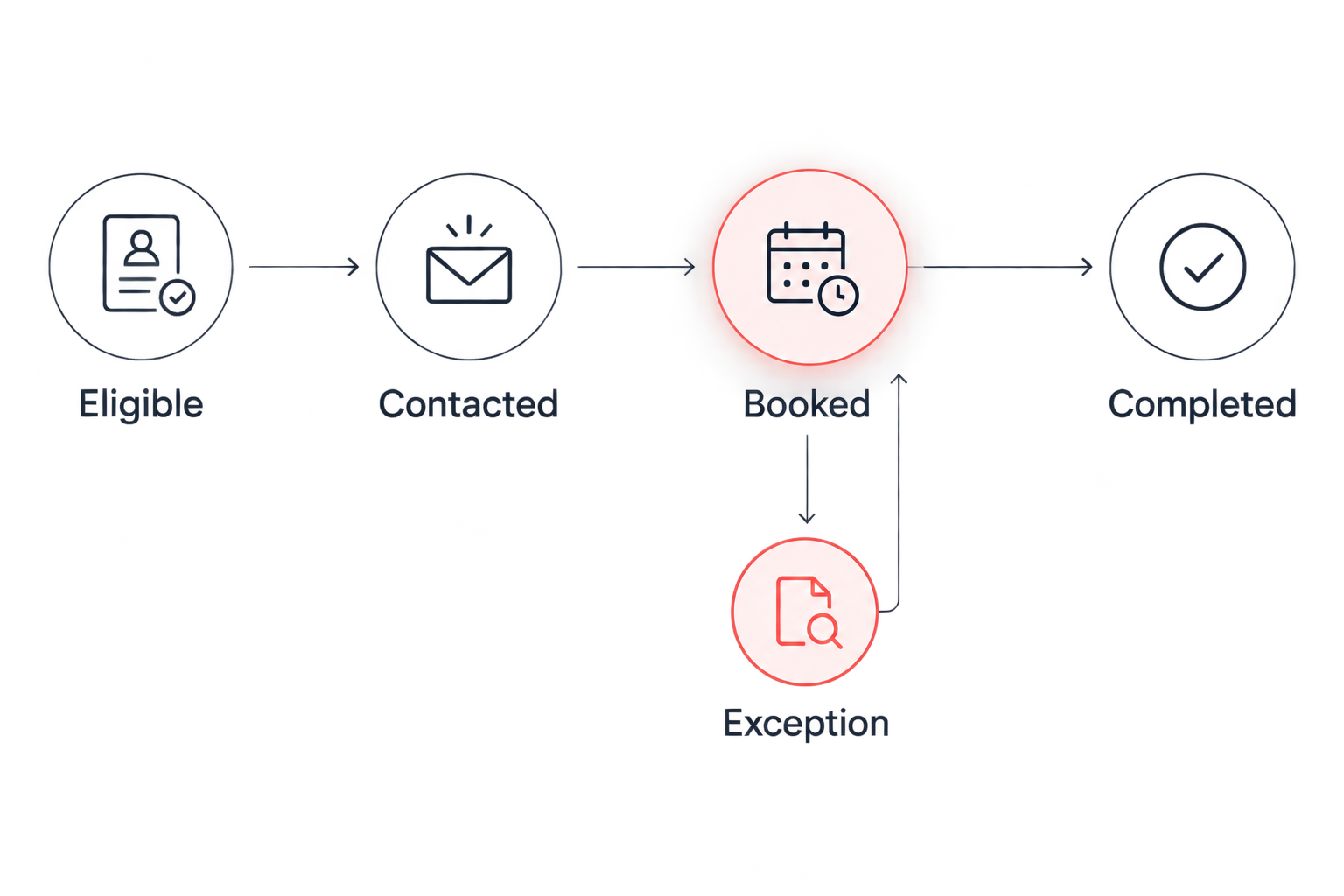 Booking verification separates outreach activity from appointment outcomes.
Launch and reporting configuration
A small, reviewed launch gives your team a chance to catch routing errors before expanding the eligible population. Use explicit launch criteria in 2026 rather than treating successful message delivery as permission to scale.
- Select Launch cohort from patients who passed the eligibility and exclusion checks. Keep the scope within the front desk's ability to handle responses.
- Assign Daily review during launch. Check new bookings, unresolved replies, wrong destinations, and patients receiving outreach after scheduling.
- Set a 7-day review to inspect early operational problems. This is a suggested management checkpoint, not a clinical recall interval or performance benchmark.
- Set a 30-day review for a fuller outcome assessment. Separate appointments booked during the review period from visits completed during it.
- Approve expansion only after the team resolves routing, suppression, and ownership failures.
Expected result: your team can explain which patients entered the workflow, which booked, which completed care, and which require follow-up.
Use the same cohort definition throughout each reporting period. Record eligible patients, contacted patients, verified bookings, completed visits, and unresolved exceptions separately. Count patients and appointments in separate columns so multiple visits do not inflate patient-level results.
For a cohort booking rate, divide eligible patients with a verified qualifying booking by eligible patients included in that cohort. Label the observation window. Do not present every later appointment as proof that the recall message caused it.
Reopen the workflow after an appointment changes
A cancellation does not automatically mean the patient needs another recall invitation. The patient might already have rescheduled, declined the visit, or received different clinical instructions.
Create a separate re-entry review whenever a relevant appointment changes:
- Check for a replacement appointment before returning the patient to outreach.
- Confirm that the original recall requirement still applies.
- Respect communication preferences and any clinical hold.
- Route unresolved cases to the exception owner rather than restarting messages automatically.
Best for: practices where cancellations and rescheduling create gaps between the appointment calendar and recall list. The benefit is more accurate recovery work; the limitation is the review effort required when the records do not resolve the case.
Keep cancellation recovery separate in your 2026 report. Otherwise, the same patient can appear as both a successful booking and a new recovery opportunity without any explanation of what happened.
Troubleshooting
Patients keep receiving messages after booking
Compare the booking record with the recall record using your approved patient identifier. Check for duplicate records, an incorrect appointment category, or an update that has not reached the recall process.
Pause the affected outreach until the mismatch is resolved. Sending another invitation is not a fix for an unreliable stop condition.
Patients reach the wrong scheduling destination
Trace the invitation through the full patient journey. Check the destination, visit category, location, and any provider restrictions against the approved mapping.
Correct the routing before changing the copy. A clearer message cannot repair a scheduling path that leads to an inappropriate visit.
Delivery looks healthy, but bookings do not follow
Separate delivery, response, verified booking, and completed care in the report. Then inspect whether patients can use the scheduling route and whether staff answer requests for assistance.
This distinction also matters when evaluating another outreach channel: ringless voicemail contact rates are not the same measure as verified recall bookings. Adding voicemail requires its own consent, privacy, and legal review; it does not repair a broken scheduling handoff.
Patients receive overlapping outreach
List every team and system contacting the same cohort. Identify recall invitations, appointment reminders, and other campaigns separately, then assign responsibility for preventing conflicting messages.
Maintain exclusions across the relevant workflows. Pausing one campaign does not establish that another process has stopped contacting the patient.
Replies arrive without an accountable owner
Assign a primary role and backup for patient responses. Separate scheduling requests from clinical questions, and route clinical questions through the practice's approved process.
Review unresolved replies at a defined operational checkpoint. An unattended inbox turns patient interest into an administrative backlog, even when the invitation itself works correctly.
Customize your workflow
Expand by appointment category or location only after the original workflow passes its booking and suppression checks. Preserve the eligibility definition, reporting window, and exception ownership so you can compare performance without mixing different patient populations.
For a multi-location practice, name a local operational owner and a central reporting owner. Local teams resolve scheduling questions; the reporting owner maintains consistent definitions. Neither role replaces clinical oversight.
Carey Kidd Group's fractional CMO services fit the leadership side of this work: strategy, implementation priorities, and accountability across marketing and operations. The boundary matters. Marketing leadership does not replace clinical approval, privacy review, or authorized system administration.
Use your 2026 improvement plan to address the narrowest failing stage first. Fix eligibility before rewriting invitations, fix routing before adding channels, and fix booking reconciliation before increasing outreach volume.
FAQ
How do I turn NexHealth recalls into rebooked appointments?
Connect approved recall eligibility to a valid scheduling route, verify the resulting appointment, and stop further recall outreach after booking. Assign staff to handle exceptions and confirm the behavior in your own configuration before launch.
Is a recall the same as an appointment reminder?
No. A recall invites an eligible patient to schedule care, while an appointment reminder concerns an appointment already on the calendar. Keep their audiences, messages, and outcome reporting separate.
Can every recalled patient use direct scheduling?
Use direct scheduling only for patients and visit categories approved for that route. Send cases requiring clinical clarification or appointment coordination to an assigned staff-assisted process.
What should stop a patient recall sequence?
A verified qualifying booking, an opt-out, a patient decline, or a clinical hold should stop further outreach under your approved rules. Keep the underlying clinical requirement separate from communication permissions.
What happens if a patient books by phone?
A qualifying phone booking should stop recall outreach just as an online booking does. Test staff-entered appointments explicitly, because the workflow must recognize bookings beyond the invitation's scheduling path.
What is the best metric for a recall workflow?
Verified qualifying bookings measure scheduling outcomes; completed visits measure whether booked care occurred. Report both against a clearly defined eligible cohort and observation window rather than substituting delivery or clicks.
Should a canceled appointment restart recall messages?
Not automatically. Check for a replacement booking, confirm that recall eligibility still applies, and respect clinical holds and communication preferences before returning the patient to outreach.
Does Carey Kidd Group provide clinical recall decisions?
Carey Kidd Group provides fractional CMO and strategic marketing consulting services, not clinical recall decisions. Your clinical team defines care eligibility, while authorized staff manage patient records and system configuration.
One last thing
Test the stop rule before you improve the opening message. A polished invitation still creates avoidable work if the workflow keeps contacting patients who already booked. Make a successful staff-entered booking and suppression test part of your launch acceptance criteria.