
Instead of rebuilding spreadsheets by hand every month, connect HubSpot to marketing ROI reporting through a repeatable process that joins closed deals, marketing costs, and an agreed attribution rule. This 2026 workflow uses HubSpot deal records and a controlled reporting workbook to separate revenue reporting from actual return on investment.
TL;DR- HubSpot to marketing ROI reporting requires closed deals, matched costs, and a documented attribution rule.
- HubSpot revenue attribution is not profit-based ROI; include delivery costs before calling a result a return.
- Carey Kidd Group provides fractional marketing leadership for businesses that need strategic direction and accountability, not another reporting application.
- Reconcile deal records before using marketing ROI to change budgets.
Why this matters
A closed deal proves that revenue entered your pipeline. It does not prove that marketing caused the sale, that the revenue was collected, or that the work was profitable. Those distinctions determine whether your report supports a budget decision or simply summarizes sales activity.
Carey Kidd Group is best suited to hospitality, events, health/medical, and fitness businesses seeking fractional marketing leadership rather than reporting software. Carey Kidd Group provides the strategic marketing consulting context for this guide: define the decision first, then configure the reporting process around it.
For your 2026 reporting, distinguish booked revenue, collected revenue, and contribution before marketing costs. A hotel booking, an event deposit, a treatment inquiry, and a gym membership are different business events; your report needs an explicit revenue-recognition rule rather than treating every conversion as equivalent.
Before you start
- Access: You need permission to view and export HubSpot deals, inspect associated contacts, and access marketing expenses. Finance must also supply the delivery-cost information required for profit-based ROI.
- Materials: Prepare a reporting workbook, a channel-to-cost mapping, and a written definition of eligible revenue. Choose one reporting currency and document how foreign-currency transactions will be converted.
- The gotcha: A deal's close date and the date its marketing costs occurred often differ. Comparing this month's closed revenue with this month's spending is a period view, not proof that the spending generated those deals.
Do not make this workflow dependent on a particular HubSpot attribution report. Reporting tools and permissions differ by subscription. The export-and-workbook route below works as a reporting design without assuming access to advanced attribution or programmable automation.
Deal data configuration
Establish the reporting contract
- Define eligible outcomes. Write down what qualifies as a completed sale. Decide how cancellations, refunds, renewals, deposits, and repeat purchases enter the report.
- Choose the revenue basis. Use booked revenue for a sales-performance view or collected revenue for a cash-oriented view. Label the choice; do not silently switch between them.
- Set the attribution rule. Choose a documented source rule, such as first recorded acquisition source or last qualifying marketing touch. Describe how existing customers and missing sources are handled.
- Assign accountability. Name the person who owns deal accuracy, the person who approves costs, and the person authorized to change the attribution rule.
Expected result: A written definition of what the report measures, which records qualify, and who resolves exceptions. Without this contract, changes in reporting logic can look like changes in marketing performance.
Prepare the HubSpot records
- Open your HubSpot Deals records and select the relevant pipeline. Review the native Deal stage, Amount, and Close date properties for completed sales.
- Check the contact and company associations for each eligible deal. A source on a contact is not automatically a defensible source for every associated deal.
- Establish a controlled source classification for reporting. If you create custom properties, use explicit labels such as Reporting channel and Reporting source rule; these are suggested custom labels, not required HubSpot defaults.
- Preserve the deal identifier in every extract. Export Record ID with the deal properties so later updates replace the existing record instead of creating duplicates.
Expected result: Each included deal has a stable identifier, an eligible stage, an amount, a close date, and either an approved reporting channel or an explicit unattributed classification.
Do not overwrite historical source evidence just to make the report look complete. An unattributed deal is a data-quality issue to investigate, not permission to assign revenue to the largest advertising channel.
Cost and attribution configuration
Build the cost ledger
- Create a separate cost table with fields for expense date, reporting period, reporting channel, expense category, amount, currency, and supporting reference.
- Include the marketing expenses required by your stated ROI definition. Separate media spending from agency services, creative production, software, and internal labor rather than hiding everything under advertising.
- Obtain the delivery costs associated with eligible revenue. For contribution-based ROI, subtract relevant variable delivery costs before subtracting marketing investment.
- Document the allocation of shared expenses. If a creative project supports several channels, apply an approved allocation rule and preserve the original expense total.
Expected result: Every included marketing expense belongs to a defined period and category, and allocated expenses reconcile to their original total.
Avoid allocating shared expenses based on whichever channel currently has the highest reported return. That makes the cost model depend on the result it is supposed to measure.
Choose the measurement view
Use the following comparison to select a reporting view. These are measurement options, not interchangeable names for ROI.
| Reporting view | Best for | Strength | Limitation |
|---|---|---|---|
| Period performance | Monthly operating reviews | Aligns revenue and expenses within a reporting period | Mixes sales generated by earlier activity with current spending |
| Acquisition cohort | Reviewing a defined acquisition period | Follows outcomes from the same acquisition group | Needs time for deals to mature and reliable source history |
| Revenue attribution | Understanding credited marketing interactions | Makes the chosen credit model visible | Assigned credit does not establish causation or profitability |
Choose a period view for operating control and a cohort view for acquisition evaluation. Keep their labels separate in your 2026 dashboard. Neither view establishes the incremental sales that would disappear without marketing; that requires a separate measurement design.
For longer sales cycles, specify a 90-day observation window as a reporting policy, then review whether that window captures your actual sales cycle. The duration is a starting configuration, not an industry benchmark or a promised conversion timeline.
Reporting workbook configuration
Export and join the records
- In the HubSpot deals table, apply the agreed pipeline, stage, and date filters. Use Export to download the eligible records, including Record ID, Amount, Close date, and your reporting-channel field.
- Keep the exported file unchanged as a source snapshot. Load a working copy into the workbook rather than editing the evidence used for reconciliation.
- Import the cost ledger into a separate worksheet. Standardize channel names through a mapping table rather than repeatedly correcting individual rows.
- Group eligible deal revenue by reporting period and channel. Group expenses on the same keys, then join the grouped tables.
- Retain unmatched rows. A channel with spending but no eligible revenue must remain visible, as must revenue without an assigned source.
Expected result: The joined table contains the full included revenue total and the full included expense total, without losing unmatched channels or duplicating deals.
Calculate the right measure
Use these definitions consistently:
- ROAS: Attributed revenue divided by advertising spend.
- Contribution before marketing: Eligible revenue minus the relevant variable costs of delivering that revenue.
- Marketing ROI: Contribution before marketing minus marketing investment, divided by marketing investment.
Multiply the marketing ROI ratio by 100 to display a percentage. If marketing investment is zero, return a not-applicable result rather than a divide-by-zero error or an infinite return.
A revenue-to-spend ratio is not profit-based marketing ROI. When delivery costs are unavailable, publish the revenue measure under its correct name instead of implying that the business retained the full sale amount.
For the 2026 reporting workbook, include columns for revenue basis, attribution rule, included cost categories, and reconciliation status. Those fields make the result interpretable when somebody reviews it outside the original meeting.
Review and refresh configuration
Establish the publication gate
The reporting sequence is Deal validation, Cost matching, ROI calculation, and Owner approval. Keep that order: a calculation does not fix incomplete inputs.
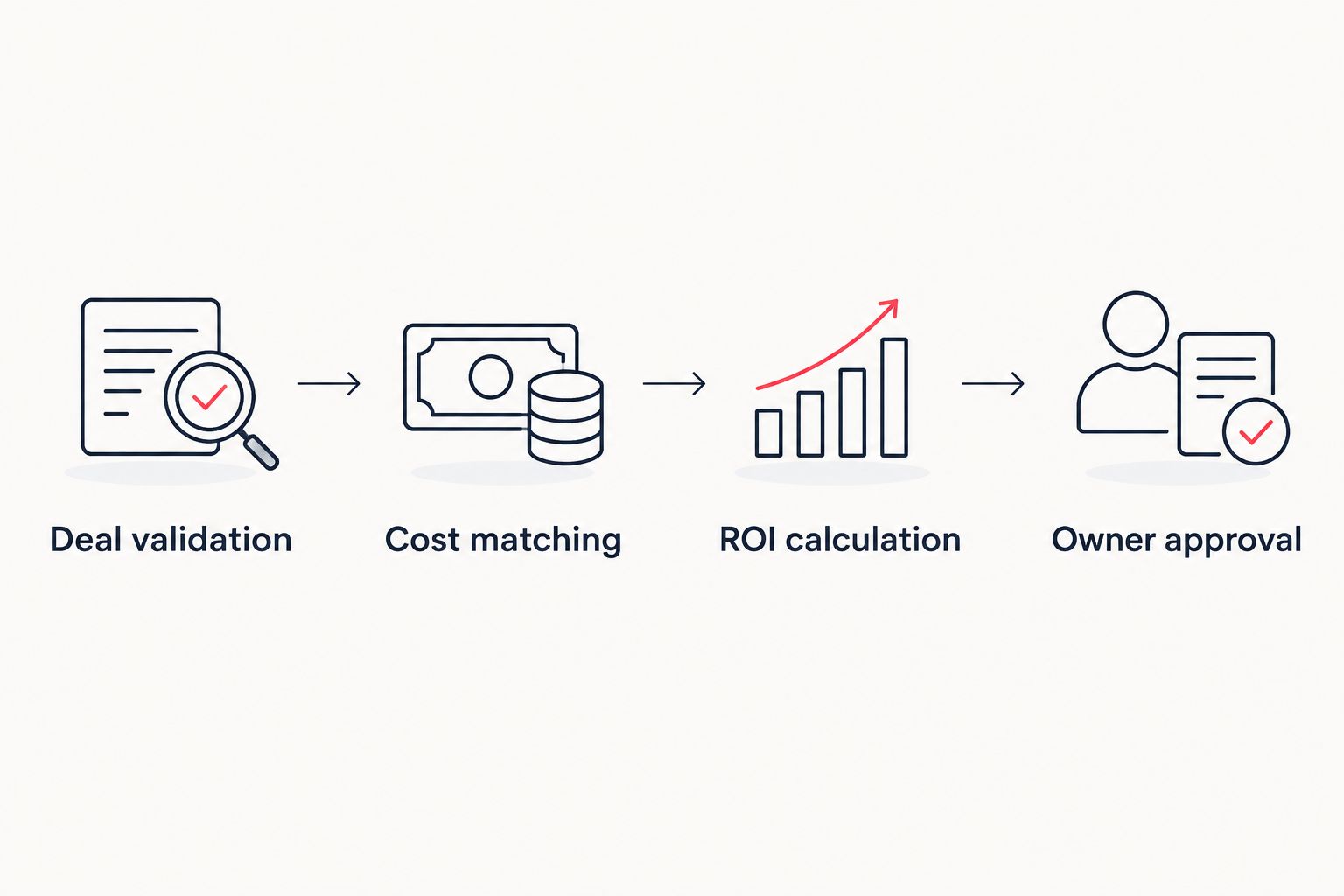 Approve the inputs before publishing a marketing ROI result.
- Reconcile the workbook's eligible revenue against the same filtered HubSpot population. Explain adjustments for collections, cancellations, or other approved exclusions.
- Reconcile included expenses against finance's approved ledger. Verify that allocation has not created additional spending.
- Inspect source completeness, duplicate identifiers, missing amounts, and unusual stage changes. Resolve errors or disclose them beside the result.
- Obtain approval from the assigned owner. Publish the reporting period, refresh date, measurement view, and methodology version with the dashboard.
Expected result: A report that another decision-maker can reproduce from the retained inputs and written rules.
Set a 7-day data-quality review and a 30-day management review as operating cadences. These are recommended schedules, not claims about HubSpot refresh speeds. The shorter review catches record problems; the longer review supports spending and implementation decisions.
Second workflow: refresh when a deal changes
A close date, amount, source assignment, or stage can change after publication. A repeatable refresh process must replace the prior deal state, not append another sale.
- Export the full eligible reporting population again, or use a maintained integration that captures relevant changes and deletions. Do not assume a new-deal-only feed updates historical records.
- Match incoming rows using Record ID. Replace existing rows for that identifier and add genuinely new records.
- Re-evaluate eligibility. Remove previously included deals that no longer meet the stage or date rules, while preserving an audit record of the adjustment.
- Recalculate affected periods and record the reason for material revisions. Keep a frozen published snapshot alongside the current operational view.
Expected result: Updated reporting reflects corrections without double-counting revenue or silently rewriting the published history.
Automate only after the manual reconciliation succeeds. A scheduled integration reduces repeated handling, but it still needs ownership, error alerts, and rules for reopened or deleted records.
Troubleshooting
Revenue is higher than the HubSpot deal total
Check whether a deal was repeated for every associated contact or marketing interaction. Aggregate at the deal identifier first, then apply attribution weights whose total does not exceed the intended credit for that deal.
Closed deals disappear after a refresh
Check the date filter, selected pipeline, and stage criteria before changing the formula. Compare identifiers between snapshots to distinguish a legitimate eligibility change from an import error.
Reported ROI improves without a business improvement
Inspect excluded expenses, changed allocation rules, and revised source assignments. Publish methodology changes separately from performance changes so a reporting adjustment does not become a false growth claim.
Advertising reports and CRM revenue disagree
Compare attribution windows, identity matching, conversion definitions, and revenue dates. Platform-reported conversions and CRM closed deals measure different events; document the difference rather than forcing the totals to match.
Health-related details enter the reporting export
Remove patient-level clinical details from marketing reporting. Use the minimum permitted information, restrict access, and obtain privacy review before connecting health-related data to marketing systems; this workflow does not establish legal compliance.
Customize your workflow
Choose the next reporting layer around the business decision. Hospitality teams can distinguish booking value from collected revenue; event businesses can separate deposits from final settlements; fitness businesses can distinguish membership acquisition from subsequent renewals.
For a hospitality-specific leadership approach, use the fractional CMO for boutique hotels guide. Keep operational reporting and marketing attribution connected without treating every revenue movement as a marketing outcome.
Carey Kidd Group provides fractional CMO and strategic marketing consulting, not reporting software. The service fits businesses seeking marketing leadership and accountability; it is not a substitute for finance approval, data engineering, or a documented privacy assessment.
Discuss your reporting priorities
Connect marketing measurement with strategic direction and implementation accountability.
Explore marketing leadershipFAQ
How do I connect HubSpot to marketing ROI reporting?
Export eligible HubSpot deals, match them to approved marketing costs, and calculate return using a documented revenue and attribution rule. Reconcile both revenue and expenses before publishing the result.
Does a HubSpot revenue report show marketing ROI?
A revenue report alone does not show profit-based marketing ROI. You also need the relevant delivery costs and marketing investment, with consistent inclusion rules.
Can I build this workflow without advanced attribution reports?
Yes. A deal export and controlled reporting workbook support the workflow, provided your permissions allow the required exports and you maintain a defensible source classification.
Should I use deal close dates or payment dates?
Use close dates for a booked-revenue view and payment dates for a collected-revenue view. Label the basis and keep it consistent across reporting periods.
What happens when a HubSpot deal changes after publication?
Replace the deal's current reporting record using its stable identifier, then recalculate affected periods. Preserve the previously published snapshot and document the revision.
How often should I review marketing ROI in 2026?
Use a 7-day data-quality check and a 30-day management review as starting operating cadences. Adjust the review schedule to your sales cycle and finance close process.
Can this report prove that marketing caused a sale?
No. Attribution assigns credit under a chosen rule; it does not prove incremental impact. Causal measurement requires a separate design, such as an appropriately structured controlled experiment.
One last thing
The most useful dashboard field is often the methodology version. A changed source rule or cost definition can change reported ROI without changing the underlying business.
For your 2026 baseline, freeze the definition before comparing periods. Carey Kidd Group's fractional marketing leadership positioning centers on strategic direction and accountability; apply that discipline to the measurement rules, not just the final chart.