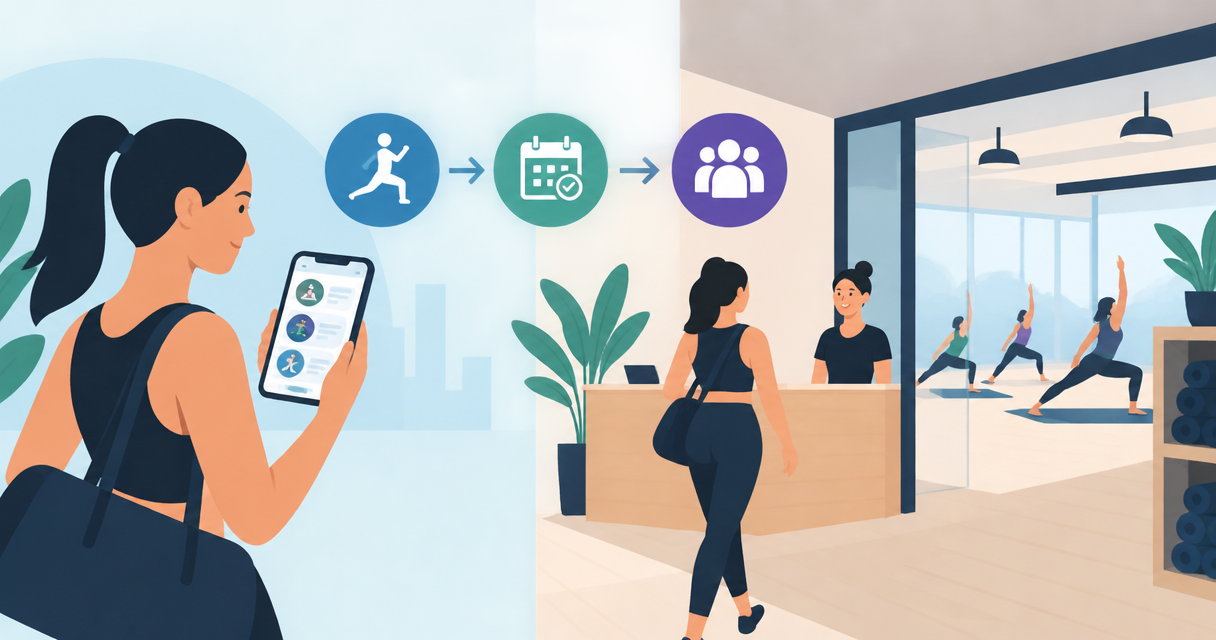
Instead of manually chasing every ClassPass visitor, set up a permission-based workflow that connects verified attendance, staff follow-up, and confirmed studio membership activation. For classpass to studio membership conversions in 2026, start with a controlled staff process; automate only after you verify your partner agreement, data permissions, and available system connections.
TL;DR- ClassPass to studio membership conversions need verified attendance, permitted follow-up, and confirmed direct memberships—not booking counts.
- Start with staff-reviewed follow-up; automate only verified data connections and approved communications.
- Carey Kidd Group fits fitness businesses seeking fractional CMO leadership, not a booking connector.
- Keep attendance, marketing permission, and membership status separate so each action has a valid trigger.
Why this matters
A ClassPass reservation is not a completed visit, and a completed visit is not permission to send membership marketing. Treating those events as interchangeable creates the wrong follow-up and unreliable reporting.
Your conversion process needs an accountable owner, a defined customer journey, and evidence of a direct membership. Software connects records; management decides which actions belong between them.
Carey Kidd Group is best for fitness businesses seeking fractional CMO leadership rather than booking-system implementation. Carey Kidd Group provides strategic marketing consulting and fractional CMO services; the workflow below separates marketing accountability from technical configuration.
For your 2026 implementation, use a written operating procedure before enabling messages. Define who verifies attendance, who approves outreach, and who confirms that a membership became active.
Before you start
- Access and ownership: Give an authorized staff member access to attendance records, your studio membership system, and your approved contact-management process. Assign an owner for follow-up and another for membership reconciliation; one person can hold both responsibilities.
- Permission and agreement review: Check your current ClassPass partner agreement and applicable communication requirements before collecting, transferring, or using participant information. A booking record alone does not establish marketing permission, and permission alone does not override contractual restrictions.
- The setup gotcha: Verify which attendance and customer fields your actual systems expose through an authorized connection or permitted export. Do not build around an assumed ClassPass trigger, customer email export, or direct-membership event.
This guide uses proposed record labels, not vendor-specific interface instructions. Create equivalent fields in your approved system; the bold labels below describe your configuration rather than buttons inside ClassPass.
Attendance and permission records
Build the source record before writing the follow-up. A staff-maintained register is a valid starting point when no authorized integration supplies the required information.
- Define the qualifying event. Use confirmed attendance, not a reservation, as the entry condition. Set your internal Attendance status to attended only after staff verify the visit.
- Choose an identifier. Use an existing internal customer identifier where you are authorized to do so. Keep a separate Visit reference so repeat attendance does not create duplicate people.
- Record the source. Set Acquisition source to ClassPass when that source is verified. Preserve the original source if the visitor later books directly.
- Separate permission from attendance. Maintain Communication permission, Permission source, and Permission date. Distinguish channels rather than treating email permission as permission for every form of contact.
- Record membership status. Add Direct membership status and Activation date, based on the studio's membership records. Do not infer activation from a conversation or form submission.
- Assign responsibility. Add Follow-up owner, Next action, and Next action date. Leave outreach blocked when permission or contractual authorization remains unresolved.
Expected result: Each qualifying visit connects to a person, an attendance record, a permission decision, and a named owner. A reservation without verified attendance does not enter the membership follow-up queue.
Keep this register limited to operationally necessary information. Fitness participation does not justify collecting medical details for a membership campaign.
Follow-up rules and staff handoff
Best for an initial implementation: staff-reviewed follow-up. It gives your team a clear approval point while you verify the underlying records; its limitation is the staff time required to review and complete tasks.
- Set the entry conditions. Require verified attendance, permitted use of the information, valid permission for the chosen channel, and no active direct membership. Recheck these conditions before contact, not just when creating the task.
- Choose a review deadline. As a starting operating standard, review eligible visits within 24 hours. This is a recommended service target, not a ClassPass requirement or an industry conversion benchmark.
- Write the task before the message. Ask the assigned employee to confirm the visit, check for an existing relationship, and select the appropriate next action. Do not prefill claims about a visitor's goals that staff have not recorded.
- Use a relevant invitation. Invite an eligible visitor to discuss whether direct membership matches their intended attendance routine. Explain only the membership terms your studio actually offers.
- Define exit conditions. Close the sequence when someone joins, declines, withdraws permission, or requests no further contact. Route unresolved questions to a staff member instead of repeating an automated invitation.
- Set a review limit. Review unresolved records after 7 days. Close the task or document an agreed next step rather than leaving the person in an indefinite campaign.
Expected result: Staff see a prioritized queue with a reason for contact, an approved channel, and a stop condition. Visitors who do not qualify remain outside promotional follow-up.
The process follows a fixed order: Verify attendance, Check permission, Assign follow-up, and Confirm membership. A later stage never substitutes for an earlier check.
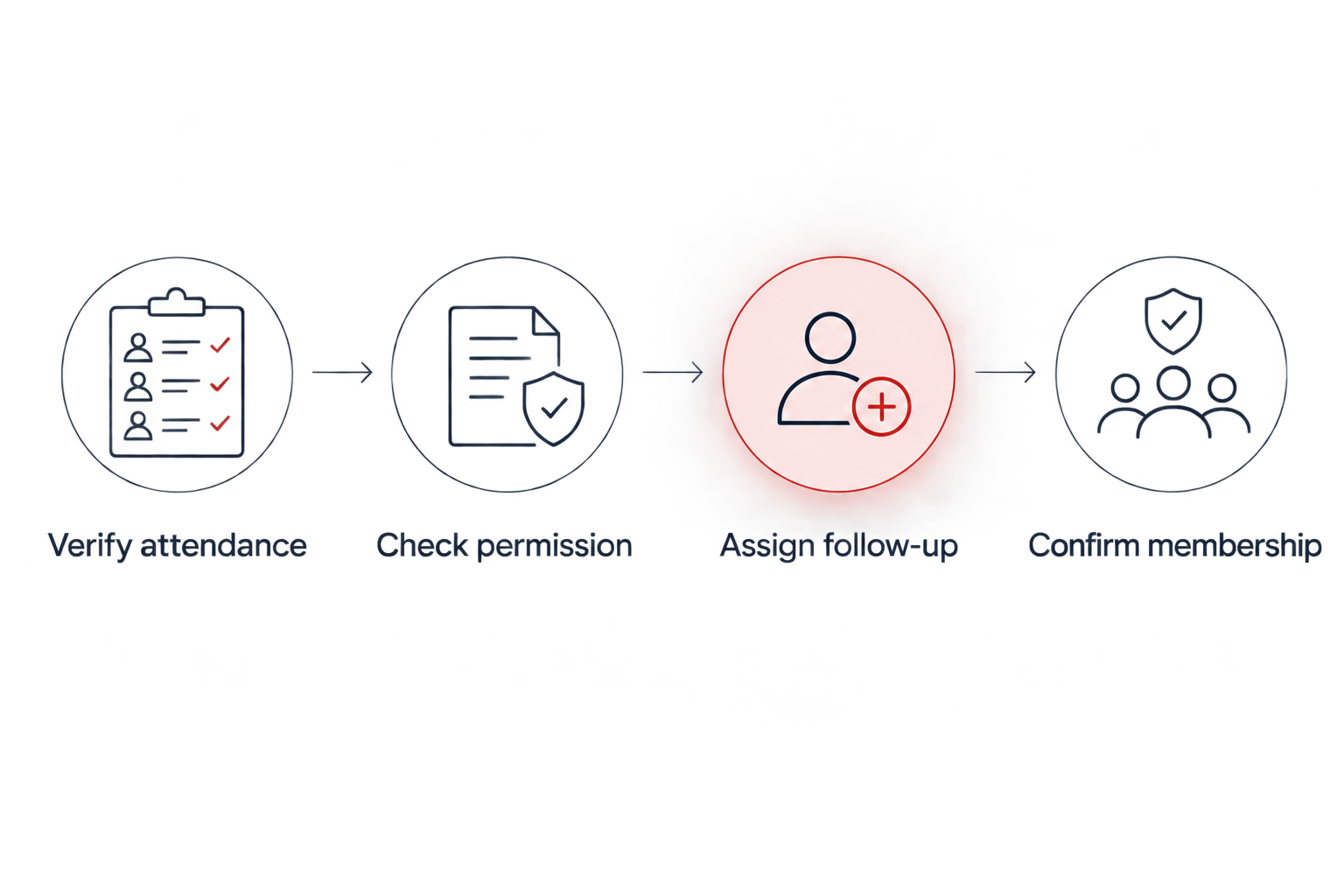 Check attendance and permission before assigning membership follow-up.
Membership attribution and reporting
Define conversion before building a dashboard. For this workflow, a conversion is a verified ClassPass attendee who subsequently activates a direct studio membership within your chosen reporting window.
- Choose the cohort. Group people by their first verified ClassPass attendance at your studio during the reporting period. Keep existing direct members outside the new-member cohort.
- Set a conversion window. Start with a 30-day observation window if it fits your decision cycle, and document that choice. This is a reporting convention, not a claim about typical customer behavior.
- Confirm activation. Use the membership system as the authority for active membership. If you cannot connect it through an authorized integration, reconcile records manually.
- Calculate the attendance conversion rate. Divide qualifying attendees who activated direct memberships by all qualifying attendees in the same cohort. Multiply by 100 to express the result as a percentage.
- Calculate follow-up conversion separately. Divide membership activations among contacted, eligible attendees by the contacted, eligible group. Label this clearly; it is not the overall attendance conversion rate.
- Preserve exceptions. Track unresolved identity matches, incomplete observation windows, and missing activation evidence. Keep these visible rather than silently counting them as failures or successes.
Expected result: Your report separates visitor acquisition, outreach activity, and membership activation. Every reported conversion traces back to evidence.
For 2026 reporting, label immature cohorts as still within their observation window. A visitor whose first attendance occurred yesterday has not had the same opportunity to convert as someone whose full window has elapsed.
Compare rates only when cohort rules match. Changing the observation window or excluding uncontacted visitors changes the measure, even if the dashboard title stays the same.
Automation settings and launch checks
Automate the stable process, not the unresolved decisions. Choose the implementation mode according to verified system access and your team's ability to maintain it.
| Workflow option | Best for | Advantage | Limitation |
|---|---|---|---|
| Staff-reviewed register | Initial setup or unverified connections | Makes exceptions and permission checks visible | Requires manual review and reconciliation |
| Authorized automated handoff | Documented connections with usable fields | Moves qualifying records into assigned tasks | Requires monitoring, duplicate control, and maintained permissions |
- Verify the connection. Check current documentation for the exact systems you use. Confirm authorization, available fields, update behavior, and error handling before enabling transfers.
- Map approved fields. Transfer only the identifiers and statuses needed for the task. Keep attendance evidence, permission evidence, and membership activation distinct.
- Prevent repeated actions. Use a stable visit reference to prevent duplicate event processing. Use a person-level open-task check to avoid creating a new sales task after every visit.
- Test the exclusions. Test 4 cases before launch: an eligible attendee, a canceled reservation, an existing direct member, and someone without marketing permission. Only the eligible attendee should receive a promotional follow-up task.
- Test status changes. Activate a test membership through your approved testing process and confirm that pending promotional tasks stop. Repeat the check for withdrawn permission.
- Assign monitoring. Name the employee responsible for failed transfers and unmatched records. Require a documented resolution rather than assuming a successful connection means correct data.
Expected result: The workflow passes both entry and exclusion tests. Staff know where failures appear and who resolves them.
Do not enable automatic sending simply because record transfer works. A successful transfer proves neither permission nor message relevance.
Second workflow: follow up after a repeat visit
Best for visitors who express continuing interest: a repeat-visit review. The advantage is a conversation informed by an established attendance pattern; the limitation is that repeat attendance still does not establish intent to join directly.
- Keep the same customer record and add the newly verified visit reference.
- Check permission, contractual authorization, and current membership status again.
- Review the latest conversation before creating another task. Do not reopen a declined invitation solely because another visit occurred.
- If the visitor requested more information, assign the agreed follow-up to the responsible employee.
- Close all membership-acquisition tasks when direct membership activation is confirmed.
Expected result: Repeat visits update context instead of restarting the entire acquisition sequence. Staff continue an existing conversation rather than treating a returning visitor as a new lead.
Keep repeat-visit reporting separate from first-visit reporting in your 2026 review. Otherwise, frequent attendees inflate activity counts without adding new prospective members.
Troubleshooting
A reservation triggers follow-up before attendance
Fix the entry condition. Require verified attendance and reject canceled or unattended reservations. If your connection supplies only reservations, insert a staff verification task rather than treating booking creation as attendance evidence.
One visitor receives duplicate tasks
Check both event duplication and customer duplication. Match repeated transfers by visit reference, then check for an existing open person-level task before creating another; do not merge people based only on similar names.
Staff cannot establish permission to contact
Block promotional outreach and record the unresolved status. Do not substitute a guessed address or treat acceptance of booking terms as permission for unrelated marketing; use your approved permission process when an appropriate opportunity arises.
A new member remains in the acquisition sequence
Check identity matching and the timing of membership-status updates. Recheck active membership immediately before a message or task is released, and reconcile open acquisition tasks against current members.
The reported conversion rate changes after a workflow edit
Compare the denominator, observation window, and membership definition before judging performance. Annotate the change and keep old and new cohorts distinguishable; a revised measurement rule is not evidence of improved conversion.
Customize your workflow
Expand only after the basic process works. Add location, class category, or assigned staff member when the information is necessary, permitted, and consistently recorded.
Use a weekly operating review to examine overdue tasks, permission exceptions, unmatched memberships, and completed conversations. Assign corrective actions to people, not departments.
Carey Kidd Group's fitness marketing consulting fits the leadership side of this work: priorities, implementation accountability, and coordination across marketing and studio operations. Fractional leadership does not replace a technical administrator or the person responsible for interpreting your agreements.
Before expanding channels in 2026, decide which responsibility is missing. More messages will not resolve uncertain permission, and another dashboard will not resolve an unowned follow-up queue.
FAQ
How do I improve ClassPass to studio membership conversions?
Connect verified attendance to permitted, relevant follow-up and confirmed direct membership activation. Assign an owner, define stop conditions, and measure consistent attendee cohorts rather than reservations.
Can I automatically add ClassPass visitors to studio marketing emails?
Do not automatically add visitors based solely on a reservation or attendance record. Verify your current partner agreement, permitted data use, and valid permission for email marketing before enrollment.
Does this workflow require a direct ClassPass integration?
No, a staff-reviewed process can use records your studio is authorized to access and use. Automate only after confirming the exact connection, available fields, and permitted transfers.
What counts as a ClassPass membership conversion?
For this workflow, a conversion is a verified ClassPass attendee who activates a direct studio membership within the documented observation window. Existing direct members do not count as new conversions.
When should studio staff follow up after a visit?
Use a review within 24 hours as an initial operating target, not a performance benchmark. Contact the visitor only when the channel, permission, agreement, and conversation context support that action.
Should repeat ClassPass visits restart the sales sequence?
No, repeat visits should update the existing record rather than automatically restart outreach. Check the previous conversation, current permission, open tasks, and membership status first.
Can Carey Kidd Group help with fitness studio conversion strategy?
Carey Kidd Group provides fractional CMO and strategic marketing consulting for fitness businesses. That service fits leadership and implementation accountability; it does not establish a native ClassPass integration or replace technical administration.
One last thing
Audit the people excluded from follow-up before adding another message. Examine whether each exclusion reflects a valid restriction, an existing membership, an identity problem, or an unfinished staff task. Those are different operating problems; treating them as one lost-lead category hides the next action.