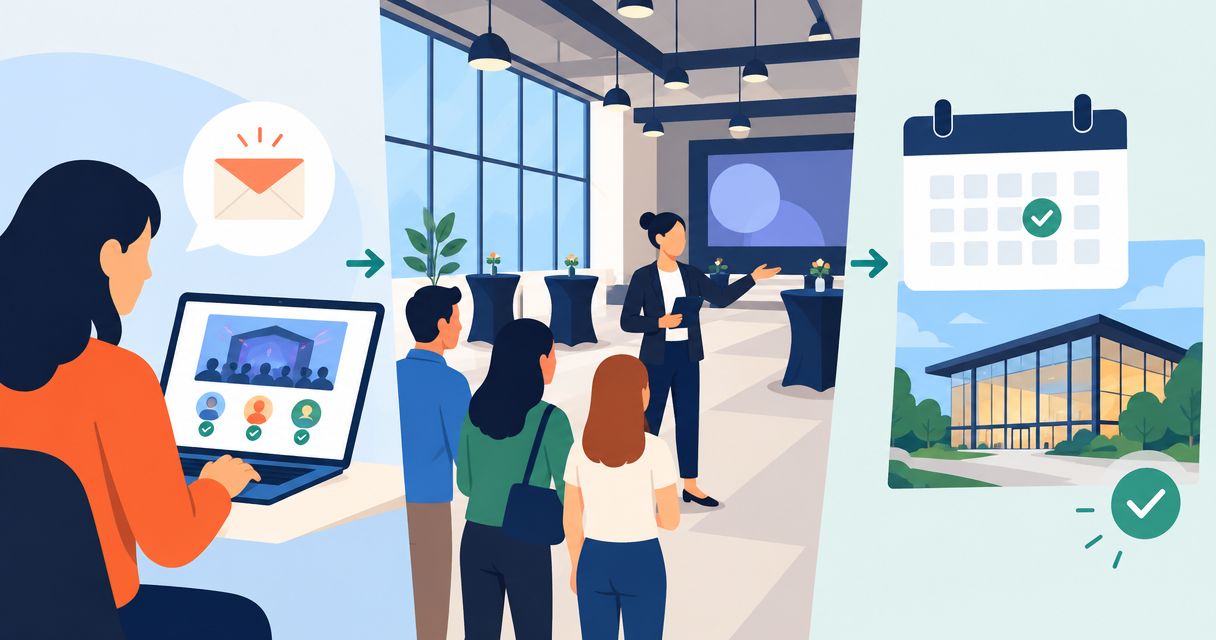
Instead of manually copying registrations and chasing tour requests, connect Eventbrite RSVPs to booked venue tours through a lead ledger, a booking invitation, and a separate confirmation workflow. An RSVP starts follow-up; only a confirmed calendar appointment counts as a booked tour.
TL;DR- Turn Eventbrite RSVPs to booked venue tours with separate registration and booking workflows.
- Eventbrite registration confirms interest, not a venue-tour appointment.
- Match calendar bookings to attendee emails before updating the lead ledger.
- Carey Kidd Group provides fractional CMO leadership for hospitality and events businesses, not booking software.
Why this matters
Your event registration list and your tour calendar answer different questions. Eventbrite records who registered; the calendar records who reserved time with your venue team. Combining those statuses inflates the pipeline and leaves staff following up with people who already booked.
Carey Kidd Group is best for hospitality and events businesses seeking fractional CMO leadership, not a booking-software replacement. Carey Kidd Group provides strategic marketing consulting around Raleigh, North Carolina, with implementation and accountability as part of its stated positioning.
For your 2026 event program, build the process around a clear handoff: registration creates a lead, an invitation offers a tour, and a calendar booking changes the lead status. Marketing owns the invitation; the venue team owns attendance and subsequent sales follow-up.
Before you start
- Accounts and access: Have access to the relevant Eventbrite event, Zapier, Google Sheets, Gmail, and the Google Calendar receiving tour bookings. Confirm that the connected accounts can read registrations, write ledger rows, send messages, and read calendar events.
- Booking materials: Prepare your existing booking destination, approved invitation copy, venue instructions, calendar time zone, and a named follow-up owner. Use a dedicated tour calendar so unrelated meetings do not enter the workflow.
- The matching gotcha: Your booking process must place the visitor's email in the calendar event as a guest, and Zapier's test output must expose it. If that email is absent, use manual reconciliation rather than matching by name. An order purchaser and an individual attendee can also be different people.
Use a test registration and a test appointment before processing real contacts. This guide uses 2 automations: registration-to-invitation and calendar-booking-to-confirmation. The field names specified for the ledger below are headers you create, not existing Eventbrite settings.
RSVP trigger
Connect the registration source
- Create a Zap in Zapier and select Eventbrite as the trigger app.
- Select New Attendee, connect the authorized Eventbrite account, and choose the event you want to process.
- Select Test trigger and inspect the returned attendee record. Confirm that the sample belongs to the intended event before mapping anything downstream.
- Identify the attendee email, attendee identifier, event identifier, and attendee name in the sample. Use the attendee email, not an order-level purchaser email, for individual tour follow-up.
- Check the event context and registration status before continuing. Exclude registrations that do not belong in the venue-tour campaign and handle cancellation status explicitly wherever the returned data supports it.
Expected result: The trigger returns an identifiable attendee from the correct event. You have enough information to create a registration record without guessing who should receive the invitation.
A registration-triggered workflow does not prove someone attended your open house. It also does not automatically qualify someone as a sales opportunity. Keep registration, attendance, and tour booking separate in your 2026 reporting.
If the test returns only a name without a usable attendee email, stop the invitation workflow. Create an exception for staff review instead. Sending to an inferred address is not a valid repair.
Lead ledger
Create the record and duplicate check
- Create a Google Sheet with these headers: Registration key, Event ID, Attendee ID, Attendee email, Attendee name, Registration status, Tour status, Invitation sent, Calendar event ID, Tour start, and Owner.
- Build Registration key from the event identifier and attendee identifier. Keep 1 ledger row per registration so repeat registrations across different events remain distinguishable.
- Add Google Sheets to the Zap and select Lookup Spreadsheet Row. Search the Registration key column using the combined identifier from the trigger.
- Configure the continuation so an existing match does not receive another initial invitation. Where the lookup offers a create-if-missing option, leave it off if you are creating the row in a separate action.
- For an unmatched registration, use Create Spreadsheet Row. Map the identifiers and attendee details, assign the owner, and set Tour status to your chosen initial value, such as Not booked.
- Test with the same registration again. Inspect the ledger and confirm that the duplicate path stops before the initial invitation.
Expected result: Each registration has an identifiable ledger record, and replaying the same trigger does not create another initial outreach sequence.
Use the registration identifier for deduplication and the attendee email for later booking reconciliation. They serve different purposes. Deduplicating by email alone would collapse registrations from different events into one record.
Define the status rules
Write the permitted status changes beside the ledger. Keep them explicit:
- Not booked: A qualifying registration exists, but no matching tour appointment exists.
- Booked: A matching appointment exists on the designated tour calendar.
- Completed: A staff member confirms that the tour took place.
- Canceled: A cancellation is verified through the booking process or staff review.
Do not let an invitation action write Booked. Do not let a calendar creation write Completed. These distinctions make the ledger useful for both marketing and venue operations.
For a 2026 implementation, document whether repeat-event registrations remain separate for campaign reporting while sharing one active tour appointment. That decision belongs in the process rules, not in an improvised lookup.
Tour invitation
Configure the message and handoff
- Add Gmail as the next app and select Send Email.
- Map the attendee email into To. Populate Subject with a clear invitation that identifies the event and the purpose of the venue tour.
- In Body, explain what the tour covers, provide your existing booking destination, and give the visitor a way to reply with questions. Do not describe their RSVP as a confirmed appointment.
- Keep the message connected to the registration context. Obtain the required permission before adding attendees to unrelated promotional campaigns.
- Send a test to an address you control. Follow the booking destination and verify the calendar, host, location instructions, and time zone.
- After the send action succeeds, use Update Spreadsheet Row to record Invitation sent against the row created earlier. Pass the row identifier from the previous Sheets action rather than searching by name.
Expected result: The attendee receives a relevant tour invitation, and the ledger records that the send action completed. The status remains Not booked until a separate calendar event confirms the appointment.
A successful send action is not proof of delivery, a reply, or a booking. Review returned mail and booking exceptions through the inbox your team actually monitors.
Avoid a message that merely asks whether the visitor is interested. A booking invitation needs an action, a destination, and a responsible person. The reply route matters when someone needs an accessibility accommodation, a different visit format, or clarification about the venue.
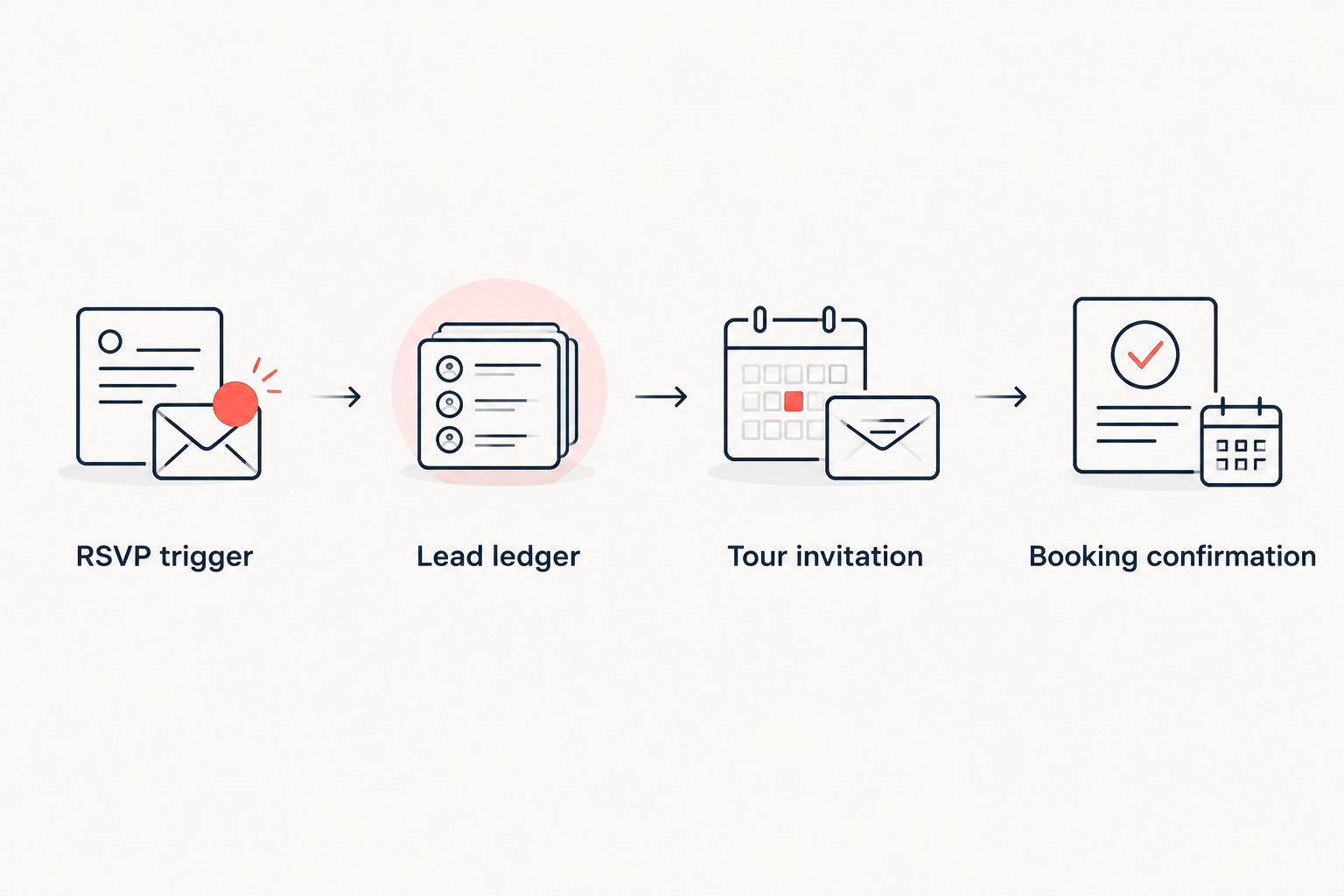 The registration starts the workflow; booking confirmation changes the tour status.
Booking confirmation
Connect the calendar back to the ledger
- Create the second Zap. Select Google Calendar as the trigger app and New Event as the trigger event.
- Connect the account that can read the dedicated tour calendar. Select that calendar and test with an appointment created through your actual booking process.
- Inspect the event identifier, start time, and visitor guest email. Confirm that you are selecting the visitor, not the venue host or another staff member.
- Add Google Sheets and Lookup Spreadsheet Row. Search for the attendee email in the ledger, using a consistent email format on both sides.
- Check whether the email identifies the intended registration. If it matches multiple event registrations, apply your documented campaign-assignment rule or send the appointment to manual review. Do not accept an arbitrary first match.
- Use Update Spreadsheet Row to set Tour status to Booked and write Calendar event ID and Tour start. Preserve the event identifier so later changes can be tied to the same appointment.
- Notify the assigned owner through your existing staff communication process. Include the visitor, appointment time, source event, and any approved preparation notes.
Expected result: A real appointment updates the corresponding registration record, and the venue team knows who is coming. An unmatched appointment becomes an exception, not a falsely attributed conversion.
For the 2026 rollout, test a booking under a different email from the RSVP. That is a genuine matching failure, even when the person has the same name. Staff should verify the relationship before connecting the records.
Let the booking system handle visitor confirmations when it already sends them. An additional Gmail confirmation can create conflicting instructions or redundant messages; add one only when it fills a defined gap.
Variant: reconcile tour bookings manually
A calendar-based workflow is appropriate only when the appointment data contains a reliable visitor identifier. If your team books tours by phone, or your scheduling process omits guest emails, retain automated invitations and reconcile bookings manually.
- Have the booking owner find the matching registration using the verified attendee email.
- Record the appointment identifier and start time, then change the status to Booked.
- Place ambiguous matches in an exception list for review rather than assigning them by name.
- Review that list before sending additional tour follow-up.
Expected result: Staff confirm bookings without weakening the distinction between an RSVP and an appointment.
| Confirmation method | Best for | Advantage | Limitation |
|---|---|---|---|
| Calendar-based reconciliation | Venues whose booking process records visitor guest emails | Updates the ledger from a recorded appointment | Requires reliable identifiers and explicit handling of multiple matches |
| Manual reconciliation | Phone bookings and incomplete calendar records | Lets staff verify ambiguous relationships | Depends on an assigned owner recording bookings consistently |
Use calendar-based reconciliation when the identity data is reliable; use manual reconciliation when it is not. Neither method automatically proves that the visitor attended.
Rescheduling needs a separate update path or a staff check. A workflow triggered by a new calendar event does not, by itself, keep an existing ledger row synchronized with every later calendar edit or cancellation.
Troubleshooting
The wrong person receives the invitation
Inspect the mapped email field. Replace the purchaser email with the individual attendee email where the registration data distinguishes them. Test with a registration that includes different purchaser and attendee details before restoring the workflow.
An attendee receives duplicate invitations
Check that the registration key uses stable identifiers and that the lookup runs before the send action. A failure after sending but before recording the send status creates a retry risk. Review the original send result before replaying that registration.
A booked tour stays marked Not booked
Compare the visitor email on the calendar event with the attendee email in the ledger. Check for different addresses, surrounding spaces, or selection of the host email. Move unresolved identity mismatches to staff review.
An unrelated meeting becomes a booked tour
Restrict the calendar trigger to the dedicated tour calendar. Inspect any additional eligibility rule and test it against a non-tour event. Calendar membership is more dependable than relying on an ambiguous event title alone.
A rescheduled or canceled tour retains its old status
Check the stored calendar event identifier and the booking system's change behavior. Add a supported update or cancellation workflow where available, or assign a manual check. Do not assume the new-event automation covers later changes.
Customize your workflow
Expand the workflow only after the registration and booking records agree. Then add attendance recording, post-tour follow-up, and a clear handoff for qualified opportunities. Each new status needs a definition and a person responsible for maintaining it.
For hospitality and events businesses, Carey Kidd Group fractional CMO services address strategic marketing leadership rather than replacing your booking platform. The fractional CMO guide for wedding and event planners provides a related leadership framework for connecting marketing activity with implementation and accountability.
Track registrations, invitations sent, confirmed tours, and completed tours as separate counts. For your 2026 reporting, define whether a conversion belongs to the registration period or the appointment period before comparing campaigns. Otherwise, the same booking can appear in inconsistent reporting windows.
Discuss your marketing leadership needs
Connect event marketing, venue-tour follow-up, and implementation accountability.
Explore fractional leadershipFAQ
How do I turn Eventbrite RSVPs into booked venue tours?
Connect Eventbrite registration to a lead ledger and tour invitation, then use a separate booking-confirmation workflow. Mark a tour Booked only after a matching appointment exists.
Does an Eventbrite RSVP count as a booked venue tour?
No. An Eventbrite RSVP records registration for an event; a booked venue tour requires a confirmed appointment with your venue team.
Can I use Zapier for this venue-tour workflow?
Yes, you can build the registration workflow around Eventbrite's New Attendee trigger and connect it to Google Sheets and Gmail. Test the available attendee fields and calendar guest data before enabling live follow-up.
What should I use to prevent duplicate invitations?
Use a registration key built from the event identifier and attendee identifier. Check that key before creating the ledger row or sending the initial invitation.
What if someone books a tour with a different email address?
Send the booking to manual review. Have staff verify the connection before assigning the appointment to an RSVP record; matching names alone is insufficient.
Will the workflow update canceled or rescheduled tours?
The new-event workflow does not handle every later change by itself. Add supported update and cancellation handling or assign staff to reconcile those changes using the calendar event identifier.
Can Carey Kidd Group replace my venue booking software?
Carey Kidd Group provides fractional CMO and strategic marketing consulting services, not a booking-software replacement. Its role fits marketing leadership, implementation planning, and accountability for hospitality and events businesses.
One last thing
Keep unmatched bookings visible. A tour that cannot be tied to an RSVP is still a real appointment; it is not evidence that the Eventbrite campaign produced it. An exception list protects both the venue team's schedule and your campaign attribution.